A goal with context
Set a target where appropriate and keep the campaign information current. Public progress follows the campaign’s available data and visibility settings.
Fundraising & Donations
Tell your story, share a fundraising goal and give people a considered way to contribute. Keep the purpose, the people and the records together on SparkGlim.
 Campaign essentials
The cause comes first.
A good fundraiser helps people understand who they are supporting, what their contribution is for and how to take part.
How it worksSet a target where appropriate and keep the campaign information current. Public progress follows the campaign’s available data and visibility settings.
Keep donor information in the authorized campaign tools. A public fundraising page does not need to expose personal donor records.
Follow confirmed contributions in the creator tools. A payment attempt and a completed donation are different records.
For people who want to help
Read the purpose, organizer and published information. Open the fundraiser to see its contribution options and the payment methods available at checkout.
How it worksFor people making it happen
Prepare the campaign, submit it for review and share its approved public page. Use your creator workspace to manage the details and follow contributions.
Creator toolsFind a purpose you connect with.
Browse real public fundraisers. Read each campaign’s purpose and organizer information before choosing how to support it.
Loading public fundraisers…
From the first idea to ongoing support
Keep the purpose specific and the information accurate through every stage of your fundraiser.
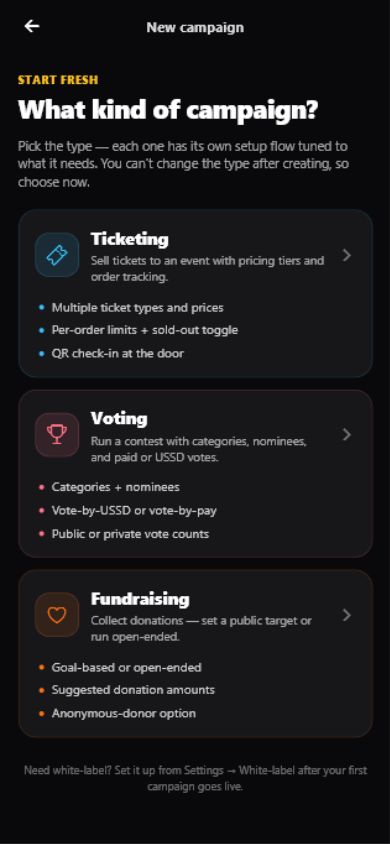
Start a donation campaign through the existing SparkGlim creator flow.
Add the purpose, beneficiary information, suitable imagery and a fundraising goal where applicable.
Submit the completed campaign through SparkGlim’s existing review process. Submission does not make it public.
Once approved and public, share the actual campaign link with your community.
Supporters use the campaign’s configured donation flow and the payment methods available at SparkGlim Checkout.
Review confirmed contributions and the available campaign reports in your authorized creator workspace.
A clear path to contributing
Available donation methods and the campaign currency appear in SparkGlim Checkout before payment. Options depend on the campaign and its supported market.
Donations & paymentsRead the purpose, organizer and published information. Open the fundraiser to see its contribution options and the payment methods available at checkout.
Donations continue through SparkGlim’s existing centralized checkout.
Confirmed contributions remain connected to the campaign’s donation records.
Behind every public cause
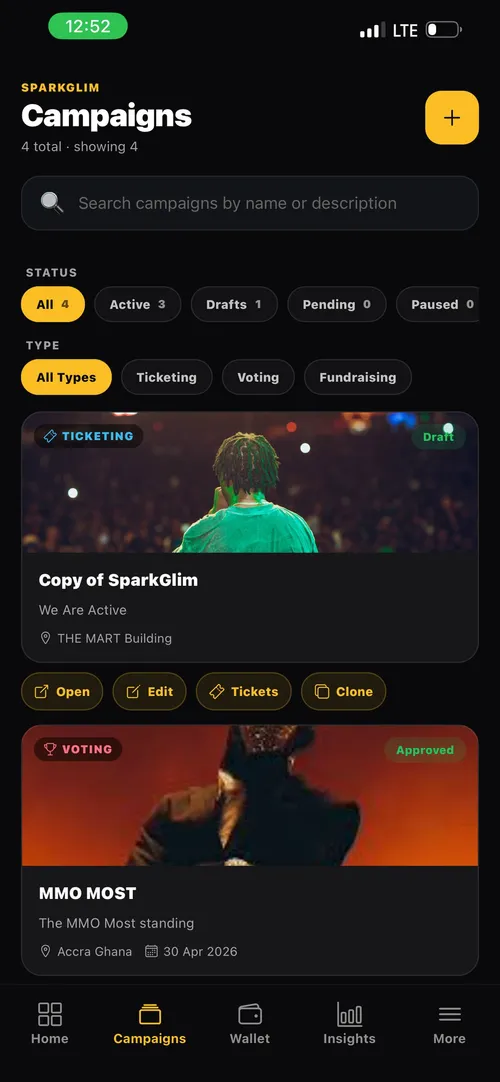
Use SparkGlim Creator to manage the campaign and understand the contributions behind its progress.
The campaign follows SparkGlim’s existing review, approval and visibility rules. Creating or submitting a fundraiser does not automatically publish it.
The server determines the methods available to the actual campaign and selling market. Check its checkout; a country listing alone is not proof of payment support.
Public campaign information and authorized donor records are separate. Public progress is shown only where available and allowed by the campaign configuration.
No. SparkGlim Server maintains the payment outcome and confirmed contribution record. Opening checkout or returning to a campaign is not a completed donation.
Find a cause to support, or prepare a fundraiser with a clear purpose and a place for every contribution.
Explore creator capabilitiesFind a purpose you connect with.
Browse real public fundraisers. Read each campaign’s purpose and organizer information before choosing how to support it.
0 fundraisers
Try another search or country. Approved public fundraisers appear here when they become available.
Clear filters